Britain's new travel clearance has an official name: the electronic travel authorisation, or ETA. Australian passport holders have needed one for UK trips since 8 January 2025, and airlines now verify it before you board. The whole application runs through the official UK ETA smartphone app, and most travellers finish it in about ten minutes. This guide walks through every step, from download to decision email, with practical tips on chip scanning, face photos, children and timing your application from Australia.
In short
- Australian passport holders need an ETA for UK visits of up to six months, and airlines have fully checked ETAs at boarding since the end of February 2026.
- The official UK ETA app handles the entire application: passport photo, chip scan, face scan, a photo of yourself, a short questionnaire and payment.
- You need a phone running iOS 16 or later, or Android 12 or later with NFC, plus the passport you will travel on, a payment card and access to your email.
- Many decisions arrive within minutes, but the official reference is up to three working days, so apply well before you fly.
- Every traveller needs their own ETA, including babies; children aged nine or under are not asked to complete the face scan.
- An approved ETA is linked to your passport for two years (or until the passport expires) and covers multiple visits of up to six months each.
Step 1: Check your phone, passport and payment card
Before downloading anything, confirm your phone can run the app and that you have the exact passport you will travel on. The app needs an iPhone running iOS 16 or later, or an Android phone on Android 12 or later with NFC. A quick test for NFC: if your phone can make contactless payments, it has what the app needs. Have a credit or debit card ready and access to the email address you plan to use, because that is where your decision arrives. Apply with the passport you will present at check-in; an ETA tied to an old passport becomes invalid once that passport is replaced.
Step 2: Download the official UK ETA app
The only app you need is called UK ETA, and it is free to download from the App Store or Google Play. Check the publisher before installing, because lookalike services appear around any new travel requirement, and the official app charges nothing beyond the application fee at the end. If your phone cannot run it, there is an online application route, and OlaVisa's application support can organise the process from start to finish.
Step 3: Photograph your passport photo page
The app first asks you to take a photo of your passport's photo page. Open the passport flat on a table, work in good, even light and get the entire page in frame, including the two lines of letters and numbers along the bottom. Overhead light throws glare across the laminate, so angle the passport away from lamps or work near a window. If the text is not readable you will be retaking the photo, so line it up properly the first time.
Step 4: Scan the chip inside your passport
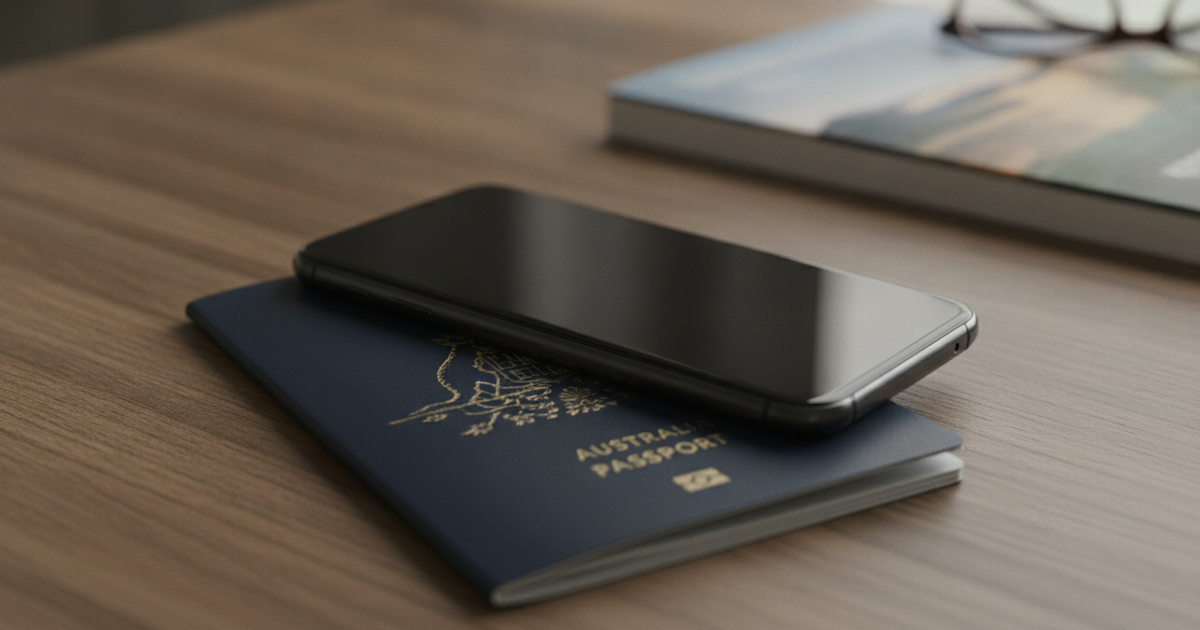
Next, the app reads the biometric chip in your passport using your phone's NFC reader. This is the step that trips up the most people, and the fix is usually physical. Remove your phone case and any passport cover, close the passport, and lay the phone flat on top with its top edge against the middle of the booklet. Then hold everything still; moving the phone mid-read is the most common cause of failure. If it keeps failing, reposition slowly and let the phone sit for a few seconds in each spot. The chip read pulls your details straight from the passport, which is why the app route beats typing everything by hand.
Step 5: Scan your face, then take a photo of yourself
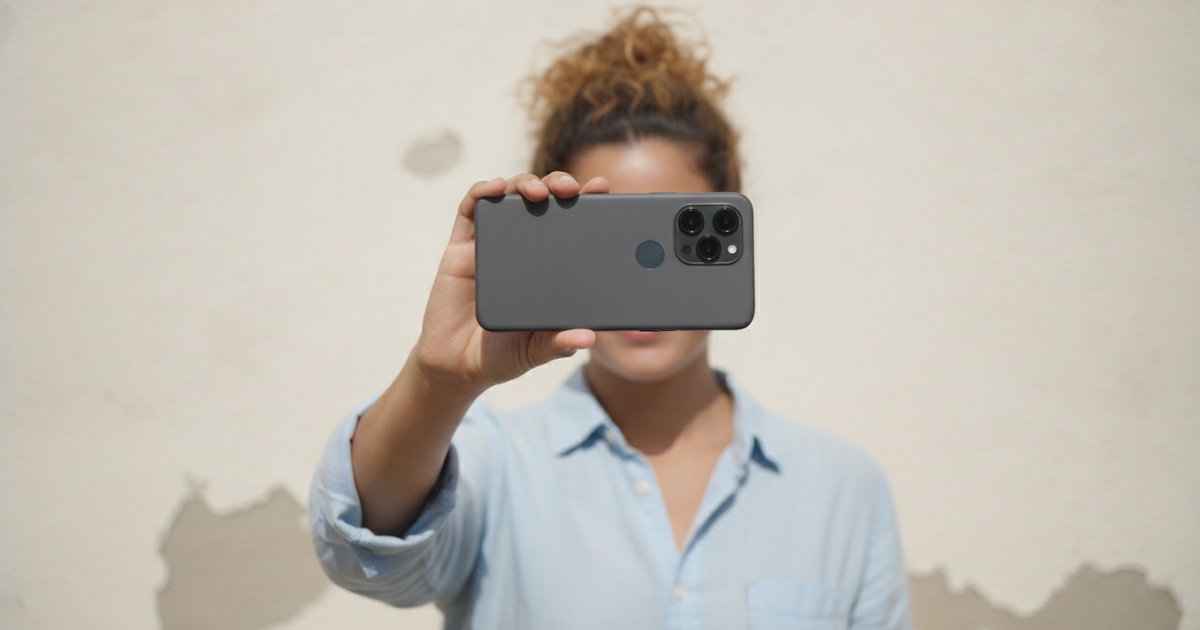
The app asks for a quick face scan followed by a still photo of yourself. Treat it like a passport photo: face a window or another source of even light, stand in front of a plain background, and take off sunglasses, hats and anything else covering your face, apart from head coverings worn for religious reasons. One useful exception for families: the app will not ask a child aged nine or under to complete the face scan, although a photo of the child is still required at every age. Daylight rather than a dim ceiling light saves most of the retakes.
Step 6: Answer the questions about yourself
You then complete a short questionnaire covering your details and background, including your address, your job, any other nationalities you hold and any criminal convictions. Answer everything honestly and exactly as it appears in your documents; inconsistencies are what generate follow-up problems, not the questions themselves. The nationality question deserves special care. If you also hold British citizenship, an ETA is not the right route: British citizens travel on a British passport or with a certificate of entitlement in their Australian one. OlaVisa's eligibility screening identifies exactly these category mismatches before fees are paid, and pre-submission review catches errors before payment is processed. For a fuller picture of who qualifies, see our guide to UK ETA eligibility and how to apply.
Step 7: Pay and submit
The final step is payment, made inside the app by credit or debit card, with Apple Pay also accepted on iPhone. Fees change, so confirm the current fee at the payment step rather than relying on older articles. Review your details once more before you pay, because the fee is not refunded after submission. Once payment goes through, your application is lodged and there is nothing more to do in the app.
Step 8: Watch your email for the decision
You will get a confirmation email first, then a separate decision email, which can take up to three working days. Many applicants hear back within minutes, but the three-day reference is the figure to plan around. An approved ETA is linked electronically to the passport you applied with; there is nothing to print and nothing to carry beyond that same passport. Two caveats: an ETA permits travel to the UK, but Border Force makes the final decision on entry, and renewing your passport voids the ETA, so you apply again on the new document.
Applying for children or on behalf of someone else
You can use the app to apply for another person, but only if that person is with you. Each traveller needs their own ETA, babies included, so a family of four lodges four applications, one after another on the same phone. If the person you are applying for is not physically with you, perhaps a parent overseas or a child travelling with the other parent, the app is not an option; the application goes through the online route instead, or OlaVisa's application support can organise it on your behalf.
Timing your application from Australia
Apply at least a week or two before you fly, not from the departure lounge. The three working days are UK working days, and with the time difference, movement on your application will often land overnight Australian time. Since the end of February 2026, airlines fully check ETAs at boarding, and on the usual Australia to UK routings through Asia or the Middle East that check happens at your first check-in counter in Australia. An ETA lasts two years, so there is no advantage in waiting; sort it when you book. One narrow exception: travellers transiting the UK airside at Heathrow or Manchester, without passing through border control, are currently exempt.
Frequently asked questions
Can I apply for a UK ETA without the app?
Yes. There is an online route covering the same ground, and it is the required path when applying for someone who is not with you. The app is more convenient because the chip scan fills in your passport details automatically. If neither suits you, OlaVisa's team can manage the application for you.
How long does a UK ETA take to come through?
Many decisions arrive within minutes, but the official reference is up to three working days. Build that buffer in, especially around UK weekends and public holidays, which do not line up with Australian ones.
Does my child need their own ETA?
Yes. Every traveller needs an individual ETA regardless of age, including infants. Children aged nine or under skip the face scan step, though a photo of the child is still required.
What if my phone will not read the passport chip?
Remove your phone case and the passport cover, place the phone flat on the closed passport with its top at the middle, and hold it still. If that fails, borrow a newer phone from someone in your household, since you can apply for a person who is with you, or fall back to the online route.
Can I work in the UK on an ETA?
No. An ETA covers visits of up to six months, such as tourism, seeing family and short business trips. Young Australians planning a longer working stay should look at the UK Youth Mobility Scheme, a separate visa route with its own requirements.
What happens if my application is refused?
A refusal does not bar you from the UK; the standard next step is a UK visit visa application, which involves more documentation and longer processing. OlaVisa's Denial Protection means no extra service fees if your application is rejected.
Get your ETA sorted before you book the rest
Applications through OlaVisa are reviewed under the regulatory authority of Tomas Hassan, registered with the IAA (Immigration Advice Authority), the UK's immigration advice regulator, under registration F202100278. OlaVisa's Denial Protection means no extra service fees if your application is rejected, backed by 17+ years of expertise, 60+ visa destinations, and 10,000+ clients served. Start your UK ETA and Visit Visa application directly on olavisa.com.au.
Immigration rules change frequently. Confirm current requirements and fees at the time of application. Article last reviewed July 2026.